

Typing a message may be second nature on a smartphone, but in the virtual world it remains a stubborn challenge. In Augmented Reality (AR) and Mixed Reality (MR), text input often relies on mid-air gestures that require users to move their arms extensively - an approach that is slow, tiring, and impractical in crowded spaces.
We have developed a new text input system that allows users to type on a compact virtual keyboard using minimal hand movement, opening the door to more practical everyday use of AR and MR devices.
The system is designed around small thumb movements, enabling efficient typing on a miniature virtual keyboard. This makes it particularly suited to mobile environments such as commuting, where space is limited, and large gestures are not feasible.
At the core of the approach is a novel interface in which candidate characters appear in a fan-shaped layout around the point of contact. Users can quickly select the intended character, even when tapping imprecisely on the small keyboard.
Behind the scenes, the system continuously learns from user behavior. By analyzing the relationship between tap positions and selected characters, it builds a personalized model that improves prediction accuracy over time.
Tests showed that users were able to input text reliably while making only minimal finger movements, suggesting the approach could significantly reduce the physical strain associated with current AR and MR typing methods.
This research has been accepted for publication in IEEE Transactions on Visualization and Computer Graphics and published on IEEE Xplore. Prior to this, it was presented as an oral presentation on March 23 at the 33rd IEEE Conference on Virtual Reality and 3D User Interfaces (IEEE VR & 3DUI), a leading conference in the field of VR.
テーマ
Texting in the Virtual World Made as Easy as the Real World
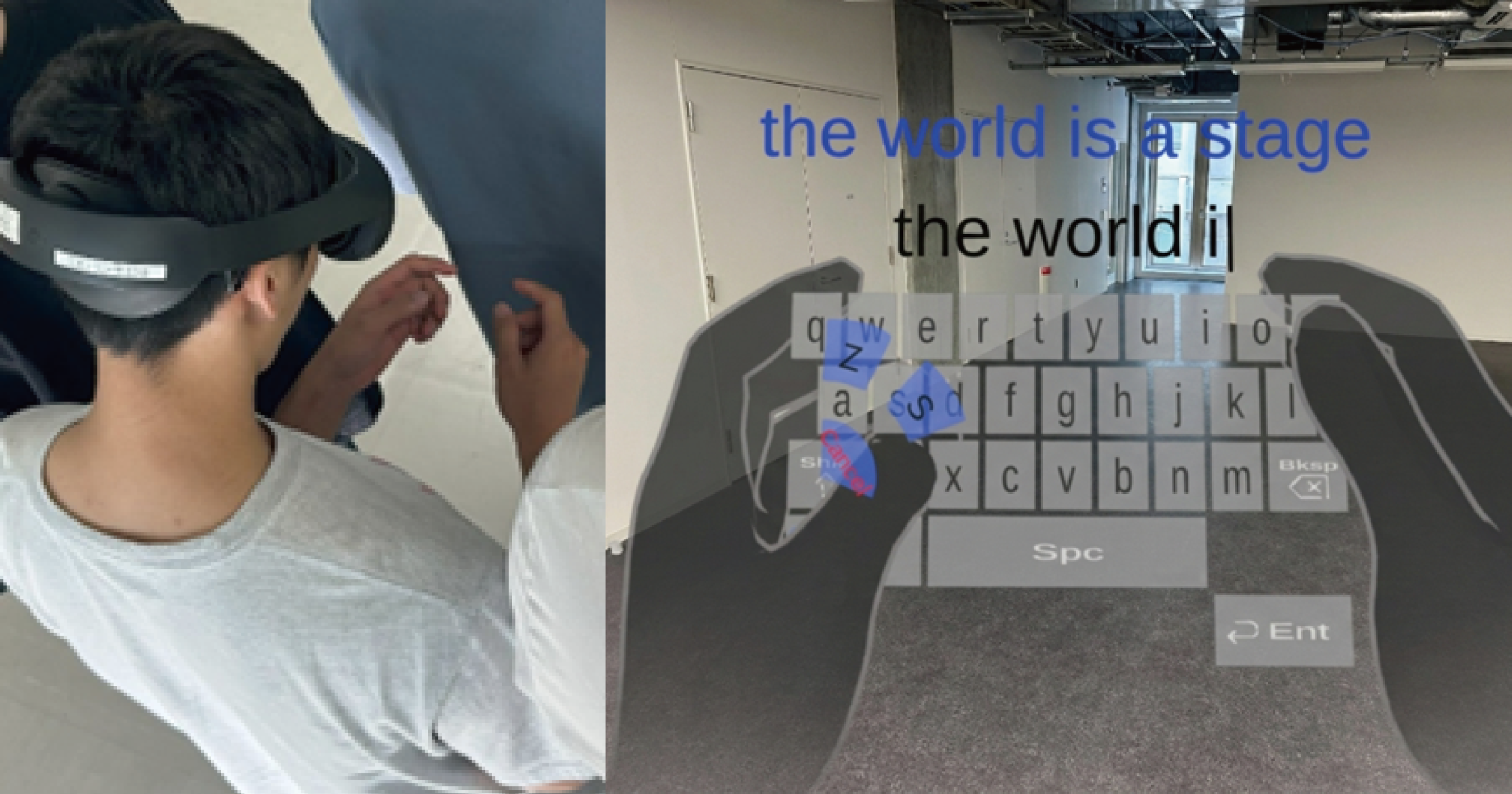
- (Left) A user wearing an AR device performs text input using thumb interaction within a limited space, in an environment that simulates a crowded public setting. (Right) The FanType input interface. Estimated character candidates (in this example, z and s) are displayed in a fan-shaped layout, allowing users to select and enter characters with minimal thumb movement
主な研究成果・対外発表
- Guanghan Zhao, Louis Teys, Gyeonghwan Yang, Shengdong Zhao, and Yoshifumi Kitamura: FanType: Intention-Inferring Fan-shaped Thumb Interface for Text Entry on Small XR Keyboards, IEEE Transactions on Visualization and Computer Graphics, 32(5), pp. 3831 - 3840, May 2026.
- Press release
Results in Japanese are described in Japanese.